Organize your operations
A shared dashboard with an owner, status and due date for every request.
ExampleMaintenance requests across a property portfolio, from intake to resolution.

8Lab builds custom internal systems, automations and digital products. You approve the scope, timeline and price before we start the first deliverable.
Identifying where work gets stuck helps you decide what to change first.
These signs help identify tasks you can simplify or automate.
A shared dashboard with an owner, status and due date for every request.
ExampleMaintenance requests across a property portfolio, from intake to resolution.
Connect the tools you already use. Repetitive tasks run automatically, and your team keeps control of approvals.
ExampleA website form creates a CRM record, alerts the owner and requests approval when money is involved.
Build a focused first version for real customers before investing in the full product.
ExampleA portal where customers can submit and track their documents.
In our first conversation, we figure out where to start.
Follow a maintenance request from the form to the team’s queue.
What your customer or team sees. It works on a phone.
Request #128 submitted · leak, unit 31Your rules determine what’s required, who approves and what’s urgent. Your team defines them with 8Lab.
Validated · high priorityThe request and its history are saved for your team to review.
Saved · history startedWhat each person needs to do today, in priority order.
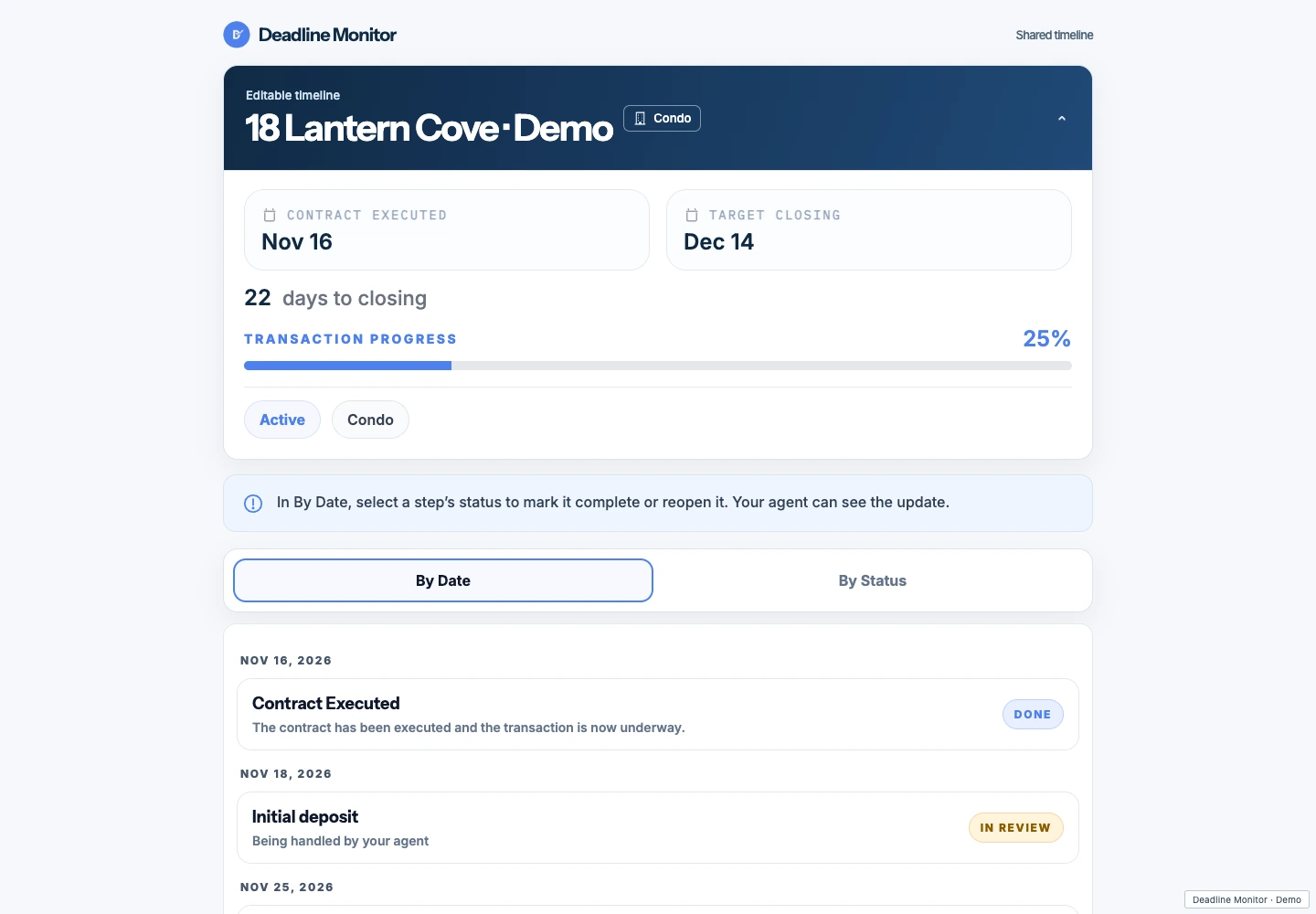
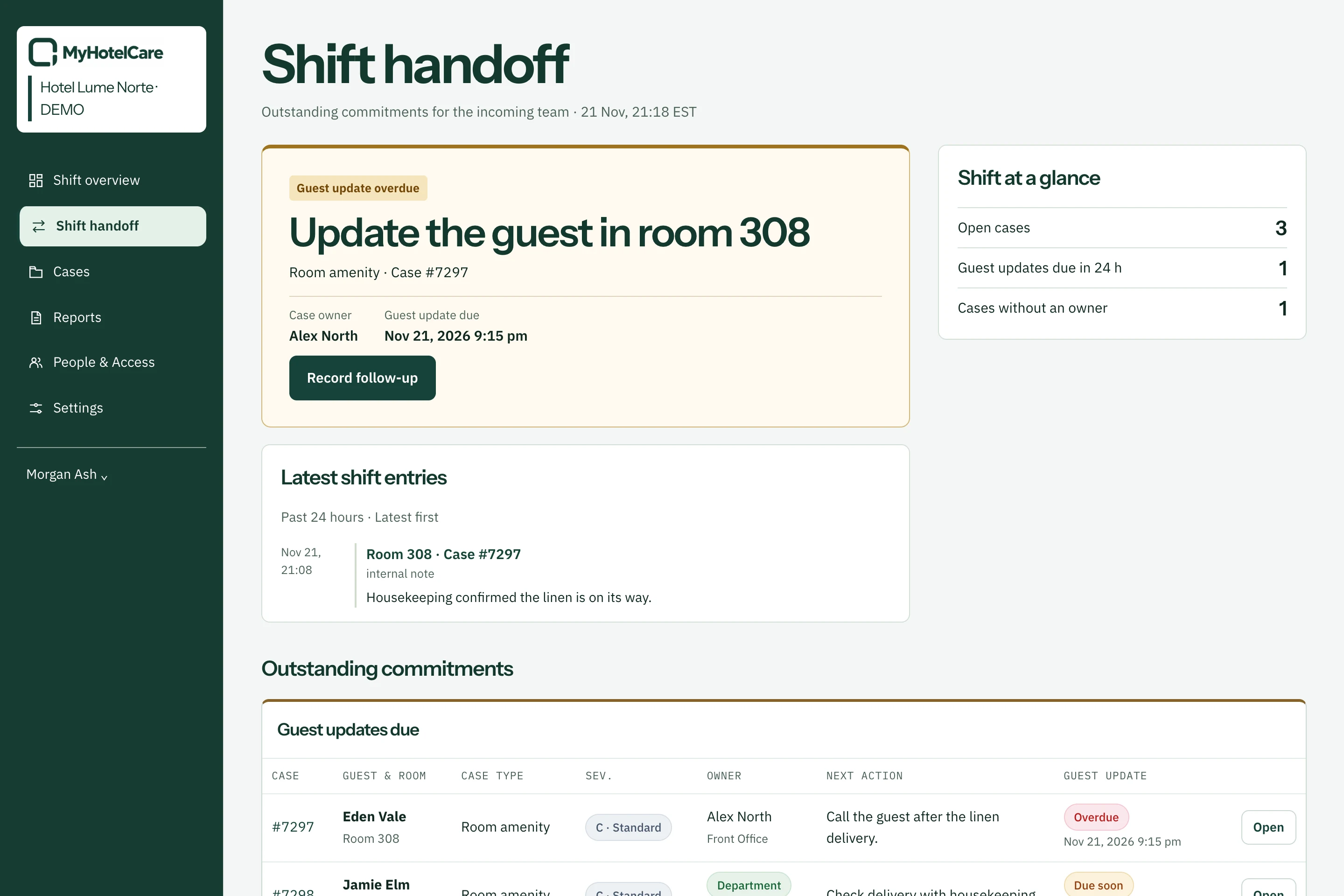
In the maintenance queue · due today at 2 p.m.See two products we built and operate. One organizes real estate deadlines. The other helps hotel teams track guest requests across shifts.
We agree on access, approvals and how we’ll test the system before we begin.
The proposal defines the first deliverable, timeline and price. If the scope changes, we agree on a revised estimate before moving forward.
We design around your actual workflow and agree with your team on how to test the first release.
We define what can run automatically and where someone needs to review or approve a step.
The proposal specifies who manages access, how data is handled and what’s included in delivery and support.
You approve the first deliverable before development starts. Once you test it, you can decide whether to move forward.
We speak with the people who do the task today and map how it actually works.
You getA process map that identifies the first task worth tackling.
We propose the smallest version that solves a real problem.
You decideA proposal with deliverables, an estimated timeline and a price.
We show you the work in progress and agree with your team on how to test it.
You getThe tested release, access and documentation agreed in the proposal.
Once the system is in use, you can see which improvements would help.
You decideFor any new work, we agree on scope, timing and cost.
Pricing depends on the first deliverable. The proposal details the work, timeline and cost for you to review before you approve it.
See custom projects in the pricing guide
8Lab leads your project from first conversation to delivery. We start with the work your team needs to organize and what the first release needs to solve.
About 8LabYou bring your knowledge of the work. We turn it into a system and explain each decision in plain language.
An existing tool is often the best fit. Custom software can make sense when a tool forces your team into a different workflow or you’re paying for several tools to do one job.
Timing depends on scope. The proposal includes an estimated timeline for the first deliverable.
The proposal specifies ownership of the code and data, along with the access and documentation you receive.
We can connect CRMs, spreadsheets, email and forms. We review each tool’s features and permissions to see what can be integrated.
We use it where it helps solve the problem. When a workflow calls for human review, we define where it happens.
We assess the change and agree on scope, timeline and cost for that work.
We review the data involved and agree with you on permissions, hosting and security measures.
Tell us what your team repeats and where the work gets stuck. We can discuss what to build first.